Review Comments (0) Screenshots (6) Questions & Answers (0) Votes (3) Awards (12) Wiki  
(3)
Naturpic Software
5.2
www.naturpic.com
Freeware
1 668 people
Download High Quality Photo...

2.22 MBDownloaded 6051 times

This software was checked for viruses 6 months ago and was found to contain no viruses.
Click here to see antivirus report.
 
Video tutorial for High Quality Photo Resizer 5.0
Frame
This video tutorial has been acquired from Downloadtube.com

Review

This review applies to version 5.0 The latest version of this software will soon be reviewed by our informers.

High Quality Photo Resizer is a useful tool for you if you are a professional photographer, web designer or anybody with hundreds of images and wanting to convert and resize them easily in a minute. Using its very user friendly and intuitive interface, you can convert any number of images in 3 easy steps. Just locate your images, choose an output format among JPG, PNG, GIF, TIFF, TGA, WMF and EMF then customize the resolution and click on the finish button to process your images. A built-in image preview supported by the program helps you choose images for processing. You can use the program as a standalone image converter also using the “Do not resize” option that is one of its cool features.

The program also supports more than 20 special effects like spray, sepia, negative, posterize and many more. In fact, some of them are quite useful like the flipping effects RGB adjustments and contrast settings with a real time preview, help you see the output image before processing. You can enjoy the program without paying a penny because it is freeware. Compact size and powerful features make the program a very useful image editing utility.
  • Easy to use.
  • It is freeware.
  • More than 20 special effects with preview of output images.
  • Compact in size.
  • None.

Reviewed by: Jasminder Singh

Reviewer rating:

Reviewed: 2 years ago

What's new in version 5.0

New skin.
Supports resizing image by percent.
Supports windows 7 (x32/x64.
The new version resolved a "Unable to register OCX/DLL" error on XP/Vista.

What's new in version 4.5

1) Use the actual photo you're adjusting as the main preview. 2) A reset button on each effect. 3) New option to "Open output folder"
Report a wrong version Report a wrong program title Suggest a correction

Screenshots

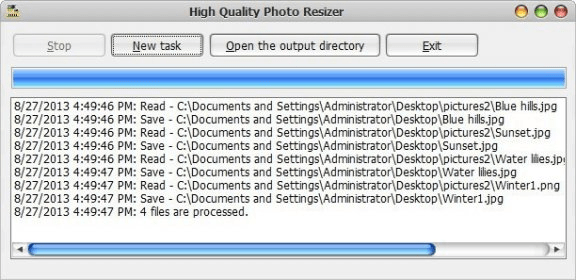
Main window Main window Resolution and output  format settings Resolution and output ... Special effects Special effects Main Window Main Window
All 6 screenshots

Latest comments


There are no comments, be the first one!
Add new comment

E-mail Address:

Password:

Register now »

Forgot password?

Sign in with:
Download Software Informer Client
Copyright © 2012, Informer Technologies, Inc. About| Privacy and terms| Help| Feedback & Support| Partners program